FluentClips for Chrome and Edge
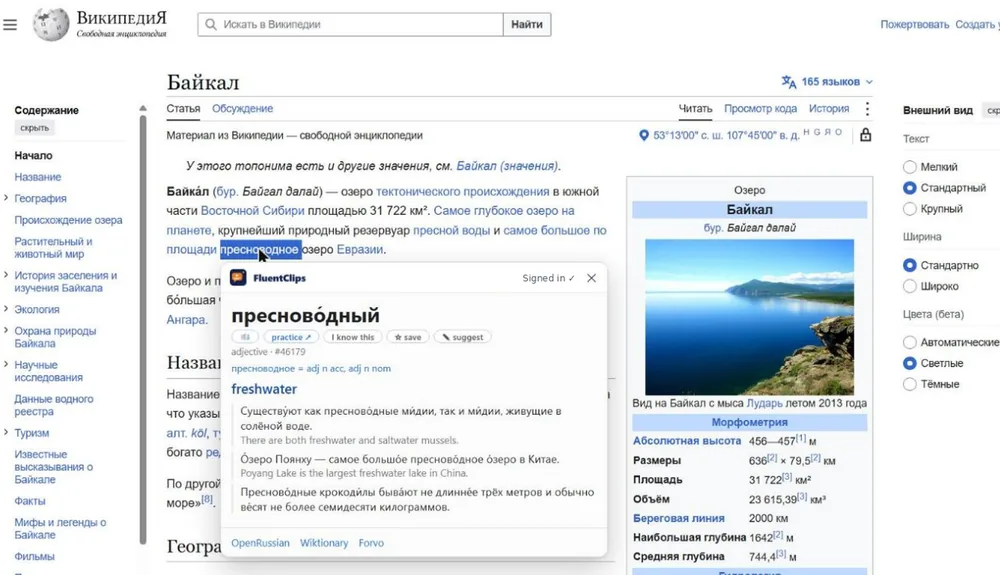
Double-click any Russian word on any website to see what it means, how it's stressed, and hear it in real Russian videos.
What it does
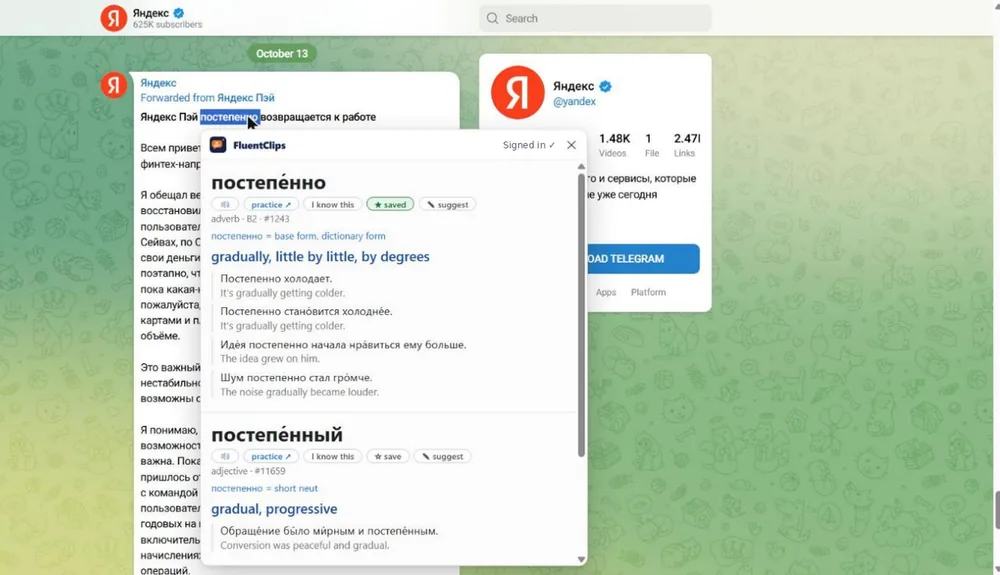
- Double-click a Russian word on any page: meaning, stress, grammar and the form you clicked, right beside it.
- Hear it: the word, and real Russian video clips that use it.
- Save it: words go to your free account, ready for Anki or Quizlet.
- Highlight a passage and save it as a translated lesson with clickable words.
Set it up in a minute
- Add it to Chrome or Edge.
- Pin it: click the puzzle piece 🧩 at the top right, then the pin 📌 next to FluentClips.
- Connect your free FluentClips account. If you're signed in here, it connects in one click.
Privacy
The extension reads only the word you double-click and the text you choose to save. It collects no browsing history. See the privacy policy.